

Planning a trip to Japan in 2026? Whether you are wandering through the neon-lit alleys of Shinjuku, navigating complex train transfers at Tokyo Station, taking a bullet train (Shinkansen) past Mount Fuji, or exploring peaceful temples in Kyoto, staying connected is essential.
Historically, international travelers relied heavily on physical Japan tourist SIM cards or bulky pocket Wi-Fi rentals picked up at Naruta, Haneda, or Kansai international airports. However, roaming charges from home carriers can easily accumulate to $10–$15 per day, adding upwards of $150–$200 to a two-week vacation.
Today, a prepaid eSIM for Japan is the modern traveler's smart choice. An eSIM (embedded SIM) delivers instant high-speed data directly to your smartphone without physical card swapping, long airport queues, or roaming fees.
Below is an extensive operational guide on using a Japan tourist eSIM, complete with updated plan options, step-by-step setup instructions, network breakdown, internal connectivity management, and structured FAQ schema.
Why a Prepaid eSIM in Japan Is Essential for Modern Travelers
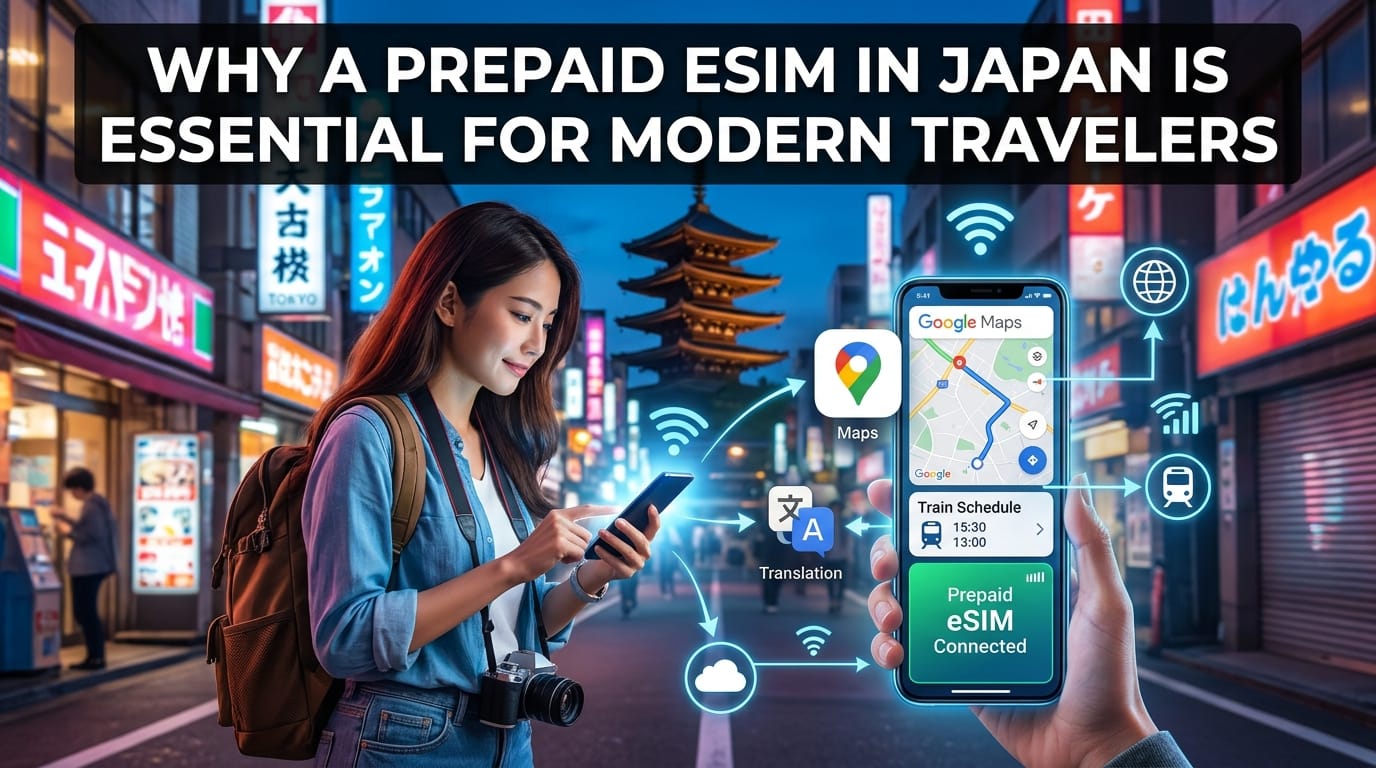
Japan is one of the most technologically advanced and navigation-intensive destinations in the world. Relying purely on free public Wi-Fi is inefficient and insecure. Here is why high-speed mobile data is non-negotiable for Japan travel:
Complex Navigation & Real-Time Transit Routing: Navigating Japan’s extensive rail systems (JR lines, Tokyo Metro, private railways) requires live routing apps such as Google Maps or Japan Travel by NAVITIME. Live delay updates, platform changes, and exit directions (e.g., navigating Shinjuku Station's 200+ exits) require uninterrupted connectivity.
Digital Ticketing & Transit Cards: Mobile Suica, Pasmo, and Icoca cards inside Apple Wallet or Google Wallet require an active data connection to reload funds or verify digital passes while on the go.
App-Based Dining & Reservations: Many izakayas, ramen shops, and tourist attractions (such as teamLab Borderless, Studio Ghibli Museum, or Universal Studios Japan) operate strictly via online reservation systems and mobile QR code menus.
Instant Translation: Navigating menus, street signs, and local interactions often requires instant visual and voice translation tools like Google Translate or DeepL.
Exceptional National 4G/5G Coverage: Japan boasts unmatched mobile network infrastructure. Fast 4G LTE and 5G connectivity stretch across underground subway tunnels, high-speed Shinkansen corridors, and remote alpine villages in Takayama or Hokkaido.
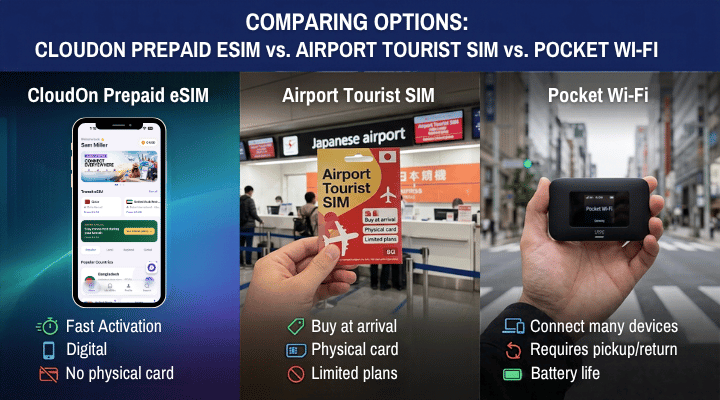
Comparing Options: CloudOn Prepaid eSIM vs. Airport Tourist SIM vs. Pocket Wi-Fi
To understand why a prepaid eSIM for Japan offers superior convenience, look at how it compares to legacy connectivity methods:
Feature / Metric | CloudOn Japan eSIM | Physical Airport Tourist SIM | Pocket Wi-Fi Rental | Traditional Carrier Roaming |
Setup Time | ~3 minutes (At home before departure) | 20–40 minutes (Airport line/counter) | 20–40 minutes (Queue & pick-up) | 0 minutes (Automatic auto-roam) |
Pricing Model | Flat prepaid plans from ~$3.99 | ~$20–$50 upfront | ~$8–$12 / day + deposit | $10–$15 / day ($140–$210 total) |
Keep Primary Number | ✅ Yes (Dual SIM active for 2FA & SMS) | ❌ No (Physical SIM replaced) | ✅ Yes (Connected via Wi-Fi) | ✅ Yes |
Equipment to Carry | None (Built into smartphone) | SIM Ejector tool, plastic case | Power bank, cables, router block | None |
Return Requirement | None (Digital profile) | None (Disposable card) | Must return at airport or drop box | None |
Multi-Country Support | ✅ Yes (Over 190+ destinations) | ❌ No (Single destination card) | ❌ No (Japan-only device) | Dependent on provider |
CloudOn Japan eSIM Plans & Pricing (Updated 2026)
CloudOn provides flexible, high-speed prepaid eSIM plans operating on Japan's major tier-1 cellular networks (NTT Docomo, SoftBank, and KDDI). Whether visiting for a short getaway or spending several months working remotely, choose a plan suited to your travel schedule:
+-------------------------------------------------------------------------+
|                  CLOUDON JAPAN PREPAID eSIM PLANS                       |
+-------------------+--------------------+--------------------------------+
| Plan Tier         | High-Speed Data    | Validity Period                |
+-------------------+--------------------+--------------------------------+
| Short Stay        | 1 GB - 10 GB       | 7 Days - 15 Days               |
| Standard Travel   | 15 GB - 30 GB      | 30 Days                        |
| Extended Stay     | 50 GB              | 31 Days                        |
| Heavy Data / Work | 100 GB             | 31 Days                        |
| Long-Term / Digital| 135 GB             | 91 Days                        |
+-------------------+--------------------+--------------------------------+
Current Japan Data Packages
Short-Term Travel Plans (7 to 15 Days): Starter packages beginning from ~$3.99. Ideal for brief city breaks in Tokyo or Osaka.
Medium-Term Travel Plans (30 Days): Flexible high-speed data options (5GB to 30GB) for classic Golden Route itineraries (Tokyo – Hakone – Kyoto – Osaka).
Extended Long-Term Travel Plans (Dated Allowance):
31-Day Plan (50 GB): Designed for deep exploration, remote work, or multi-prefecture trips.
31-Day Plan (100 GB): Maximum monthly allocation for heavy video streaming, hotspotting to laptops, and navigation.
91-Day Plan (135 GB): Cost-effective coverage tailored for digital nomads, working holidaymakers, and long-term stays across Japan.
Browse current rates and instantly secure your plan directly via the CloudOn Japan eSIM Plan Page.
How to Install and Activate Your Japan Tourist SIM via eSIM
Setting up your CloudOn eSIM takes less than three minutes. Follow these steps to ensure you land in Japan fully connected:
Step 1: Check Device Compatibility
Before purchasing, confirm that your smartphone is unlocked by your home carrier and supports eSIM technology. Most flagship devices manufactured after 2018 (e.g., iPhone XS and newer, Samsung Galaxy S20 and newer, Google Pixel 3 and newer) support eSIMs. Dial *#06# on your phone dialer; if an EID number appears, your phone is eSIM compatible.
Step 2: Download the CloudOn App
Get the CloudOn app from the Google Play Store or the Apple App Store.
Step 3: Select Your Japan Data Plan
Open the app, navigate to Japan, and pick the data package that matches your trip length and data requirements.
Step 4: Install the eSIM Profile (Recommended: Night Before Travel)
💡 Pro Tip: Perform installation at home over stable Wi-Fi the night before your flight.
Direct In-App Activation: Tap Install eSIM inside the CloudOn app for automatic, one-click profile setup.
QR Code Scanning: Alternatively, scan the provided QR code using your phone's camera settings (Settings > Cellular/Mobile Data > Add eSIM).
Step 5: Configure Dual SIM Settings
To avoid unexpected international roaming charges from your primary line while keeping your home phone number active for two-factor authentication (2FA) SMS security codes:
Label your home SIM as "Primary" and your CloudOn eSIM as "Japan Data".
Set Cellular Data / Mobile Data to "Japan Data".
Turn OFF "Allow Mobile Data Switching" to prevent your phone from automatically switching back to your expensive home carrier line.
Keep your Primary Line ON for calls/SMS, but ensure Data Roaming is turned OFF on your Primary SIM.
Turn Data Roaming ON specifically for the "Japan Data" CloudOn line.
Step 6: Touchdown in Japan & Connect
When your plane arrives at Tokyo Narita (NRT), Haneda (HND), or Osaka Kansai (KIX):
Disable Airplane Mode.
Ensure your Cellular Data line is assigned to CloudOn.
The eSIM will instantly connect to local partner 4G/5G networks (NTT Docomo, SoftBank, or KDDI).
Network Performance: Coverage Across Japan's Major Networks
CloudOn routes traffic through Japan's premier tier-1 telecom networks:
NTT Docomo: Japan's largest cellular network provider, offering deep coverage in rural regions, Japanese Alps, coastal towns, and underground metro networks.
SoftBank: Highly optimized for dense urban environments like Central Tokyo, Yokohama, Nagoya, and Osaka, delivering low latency and rapid 5G speeds.
KDDI (au): Provides broad high-speed coverage along transit routes, highways, and Shinkansen corridors.
This multi-carrier infrastructure ensures your device automatically connects to the strongest available signal wherever you travel across the Japanese archipelago.
Helpful Technical & Practical Advice for Traveling in Japan
1. Conserving Mobile Data While Exploring
While CloudOn offers generous data packages up to 100GB+, optimizing data usage extends your plan:
Pre-download Offline Maps: Download offline region maps on Google Maps or Maps.me over home Wi-Fi before heading out.
Manage App Updates: Disable automatic app downloads and background app refresh over cellular data inside your phone’s system settings.
Use Social Media Responsibly: Streaming high-definition video on TikTok, Instagram Reels, or YouTube consumes ~1GB to 2GB per hour.
2. Monitoring and Topping Up Data
If your travel plans change or you require extra gigabytes, CloudOn allows instant in-app data top-ups. You do not need to install a new eSIM profile—simply select an add-on package in the app, and data will append automatically to your existing active profile.
3. Comprehensive Travel Planning
For detailed itineraries, regional destination guides, and advanced connectivity recommendations across Tokyo, Kyoto, Osaka, and beyond, read our complete https://cloudon.app/travel-guide/japan once published.
Frequently Asked Questions (FAQ & Schema)
Below are answers to common questions about buying a Japan tourist SIM via eSIM:
FAQ Section
Q1: What is a prepaid eSIM for Japan?
A: A prepaid eSIM for Japan is a digital SIM profile that allows you to activate a local Japanese data plan directly on your compatible phone without inserting a physical SIM card. It provides high-speed 4G/5G mobile internet at local rates without international roaming charges.
Q2: Can I keep my original phone number active for calls and WhatsApp?
A: Yes! Using dual-SIM functionality, you can keep your home phone number active to receive SMS verification codes and calls, while routing all mobile data usage through your CloudOn Japan eSIM. Your WhatsApp account remains tied to your home number automatically.
Q3: When should I install my Japan tourist eSIM?
A: It is best to install your eSIM profile at home over a stable Wi-Fi connection the night before your flight. The data validity timer typically starts only when the eSIM connects to a supported mobile network upon landing in Japan.
Q4: Is an eSIM better than renting a Pocket Wi-Fi in Japan?
A: Yes, for most travelers, an eSIM is more convenient and cost-effective. An eSIM requires no separate battery charging, carrying heavy hardware, or waiting in line for pickup and drop-off at the airport.
Q5: What networks does CloudOn use in Japan?
A: CloudOn connects to major Japanese cellular networks, including NTT Docomo, SoftBank, and KDDI, giving you extensive coverage in cities, countryside, and transit systems
Ready to get an eSIM?
Browse plans for 190+ countries. Purchase in minutes, install in seconds.